Free tool · no signup
Resume and CV maker
12 templates, one built for applicant-tracking systems, plus a matching cover letter. Free PDF download, no account, no watermark.
Runs entirely in this browser — nothing is sent anywhere. Your profile is saved on this device; clear it below whenever you want.
Document
The cover letter reuses the contact details below, and picking a CV template sets the letter to its counterpart, so the two match when you send them together. There are 7 letter templates rather than 12: a letter is one block of prose with a letterhead over it, and the CV templates built around dated entries, section headings or a second column have nothing here to attach to.
You
Work experience
Education
Skills
Optional — languages, certifications, links, projects
All optional. Anything left empty is left off the document entirely.
Languages
Certifications
Links
Projects
ATS check
Rule-based, and that is the whole of it — a fixed list of structural tests, run in your browser against this document. There is no model here and no scoring. Nothing below reads a word of what you wrote.
What it catches
- A template that is not the ATS-safe one
- Missing name, email and phone
- A missing Experience, Education or Skills section
- A job with no bullet points, or a bullet under four words
- A summary under eight words
- Tables, images, text boxes and newspaper columns in the document
- Anything positioned or reordered away from the order a parser reads
What it cannot
- Whether anything you wrote is any good
- Whether your experience fits the job
- Which keywords a particular posting wants
- How one named employer's software behaves
- Anything that would need a server, or reading your CV as language
Salutation is automatic: "Dear {recipient's name}," if you gave one, otherwise "Dear Hiring Manager,".
Signed with the full name from above.
Saved on this device
Your whole profile — every field above — is kept in this browser's local storage so you do not retype it next time. It is never sent anywhere. Forgetting it below removes it immediately and clears the form.
Opens your browser's print dialog — choose Save as PDF as the destination, or a printer if you want paper.
Preview
How to use it
How to use the CV Maker
01
Fill in the left side
Contact details, a summary, work history and education. The document builds as you type — nothing you leave blank appears on it.
02
Pick a template
12 of them, genuinely different from each other. One is built specifically to survive an applicant-tracking system rather than just look good.
03
Download the PDF
Opens your browser’s print dialog with the document alone on the page. Choose “Save as PDF”. No account, no watermark, ever.
Most resume builders are free right up until you need the file
The editor is open to anyone on almost every resume site — that is how they get you to spend an hour filling it in. The PDF is where the business model shows up: a watermark stamped across the document, a paywall, or an account you have to create and often a card you have to enter before the download unlocks. None of that happens here. There is no account, the PDF has nothing added to it, and the whole tool works the same way whether you have visited once or a hundred times.
What "ATS-friendly" means, and why one template is built specifically for it
A meaningful share of mid-size and large employers run applications through an applicant-tracking system before a person opens one — software that stores, searches and sometimes ranks candidates by parsing the text out of the file you submitted. Parsing a PDF is not the same as reading one. A layout with columns, sidebars, text boxes or tables can look perfect on screen and come out of that process as fragments in the wrong order, headings merged into paragraphs, or sections missing entirely — and the applicant never finds out, because nothing about the PDF itself looks broken.
The ATS Minimal template avoids every one of those hazards on purpose: a single column with no sidebar or table anywhere, standard section headings a parser is trained to recognise (Experience, Education, Skills, rather than something clever), and text that is laid out top to bottom in one continuous flow with nothing positioned out of its natural reading order. It is deliberately the plainest-looking of the 12 templates, because plainness is the entire feature — and it is the only one the ATS check on this page will accept without comment.
Choosing a template
Use ATS Minimal when you are applying somewhere with a formal application portal — most large companies, most government and public-sector roles, most recruitment agencies. Use any of the other 11 when the resume is going to a person directly, or somewhere that reviews applications by eye rather than software: smaller companies, referrals, portfolio sites, and most creative and design roles. None of those claims to be ATS-safe, because a genuine visual layout and a parser-safe one are close to mutually exclusive.
Each one is meant to be recognisable as a shape rather than as a list of features, and the bar for shipping one was deliberately awkward: it had to be tellable from every other template at thumbnail size, with the labels taken off, because that is the size at which anybody actually picks one. So there is a dark sidebar holding contact and skills apart in their own column; a centred serif header with generous whitespace; a dense left-aligned layout built to fit more onto one page; a connecting line with a marker beside every job and degree; every section in its own tinted card; a two-column split with the history on one side and everything else on the other; section labels hung out in a left margin with the content beside them; the name set at display size over a heavy rule; a monospaced face throughout; every section heading set as a filled bar across the page; and a dark full-width masthead over a plain body. Candidates that could not clear that bar were built and then thrown away rather than added to the count — a mirrored version of the sidebar, a thick rule down the side of every section, and a letterhead with the contact details moved to the right. All three are tellable from something at full size and none of them is a different idea, which is the part that matters at thumbnail size.
The cover letter, and why it has fewer templates
The same page builds a matching cover letter from the same profile: switch the document type and it keeps your name, headline and contact details, adds the recipient and company, sets the salutation from whichever you filled in, and prints through the same dialog with the same absence of a watermark. Choosing a CV template selects the letter template that matches it, so the pair looks like one decision rather than two.
There are 7 letter templates rather than 12, and the gap is not an omission. A CV is a page made of sections, and most of these templates get their character from what they do to sections — connect dated entries with a line, split history from credentials into columns, hang labels in a margin, set headings as filled bars. A cover letter is one block of prose with a letterhead over it and no sections at all, so those have nothing to work on: four of the CV templates produced letters identical to each other, and one produced a letterhead indented away from a body it had nothing to line up with. What a letter genuinely can vary is the letterhead, the typeface and whether the body sits in a frame, so the letter offers exactly those, and the menu never shows you a choice that changes nothing.
What the ATS check can see, and what it cannot
There is a checker on the page, and it is rule-based on purpose. It looks at facts the page already holds: whether the ATS-safe template is the one selected, whether the standard sections exist, whether the name and a way to contact you are filled in, whether a job has no bullet points or a bullet is too short to say anything, and whether the rendered document contains a table, an image, a text box, newspaper-style columns, or an element positioned or reordered away from the order a parser reads. Those last few should be impossible — nothing the templates generate can produce them — and they are checked anyway, because a claim that something cannot happen is worth verifying rather than asserting.
What it does not do is read your CV. It cannot tell you whether the writing is good, whether your experience fits the role, which keywords a particular posting rewards, or how one named employer's software will behave, and it never shows you a score out of a hundred. All of that needs a server and a language model, and this tool has neither by design — the promise that nothing you type leaves the browser is only keepable if there is nowhere to send it. The rules it runs are printed next to the button, and the report repeats its own limits every time it runs, including when it finds nothing.
What is deliberately not here
There is no field for a photograph. In the United States, the United Kingdom, Canada and Australia the common advice is to leave one off — some employers will not consider an application carrying one, specifically to keep early screening free of anything that could look like bias, and most hiring guidance in those markets reflects that. It is more usual in parts of continental Europe. Since the tool has no way to know which market you are applying into and the safer default across most English-language hiring is no photo, that is the one it builds; add one afterwards yourself if your market expects it and you know what you are doing.
There is also no reference section, no "hobbies and interests" field and no scored skill bars. References are supplied on request in almost every hiring process now, not printed on the document; and a bar that claims to measure how much of a skill someone has is a made-up number dressed as data, the same reasoning that keeps this site's password tool from showing a coloured strength meter.
Questions
What people ask about the CV Maker
Does my CV ever leave this browser?
What does "ATS-friendly" actually mean, and why does it matter?
What does the ATS check actually do — is it scoring my CV?
Does the cover letter use the same templates as the CV?
Why is there no watermark or account wall?
Should I include a photo?
Why do empty sections disappear instead of showing an empty heading?
Will everything fit on one page?
The long version
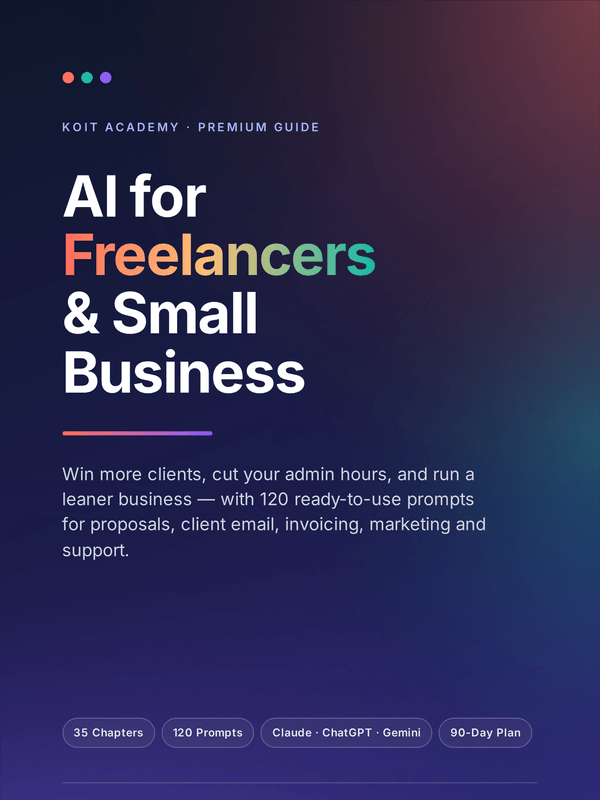
This tool is one page of a 189-page book
35 chapters for freelancers and small businesses, with a 120-prompt business library (B-001 to B-120) and 7 appendices.
Other free tools
Keyword Match Type Tool
Format a keyword list for broad, phrase, exact and every negative type
Open itInvoice Generator
Build a clean invoice in 30 languages and print it to PDF
Open itPassword Generator
Generate strong passwords in your browser and see what they are actually worth
Open itQR Code Generator
Make a QR code for a link, wifi, contact card, email, phone or SMS
Open it