Free tool · no signup
Keyword match type tool
Broad, phrase, exact and all three negative types. Cleaned, validated, CSV for Google Ads Editor.
0 keywords in, 0 out after cleaning
Runs entirely in this browser. Nothing you paste is sent anywhere, stored, or logged.
Cleaning
Google Ads Editor export
Leave both blank and Editor will ask where to put the keywords on import.
0 keywords may be rejected on upload
Negative match types do not mirror positive ones.A negative broad keyword blocks a search only when that search contains all of its words, in any order — so -running shoes does not block running on its own. And unlike positive broad match, negatives are not expanded to close variants: plurals, misspellings and synonyms still get through unless you add them as separate negatives. Those two facts together are why a negative list that looks complete often is not.
How to use it
How to use the Keyword Match Type Tool
01
Paste the list
One keyword per line, straight out of a spreadsheet. Stray spaces, duplicates and already-formatted keywords are all fine — cleaning handles them and tells you what it changed.
02
Check the warnings
Anything over the length or word limits, or carrying a character Google rejects, is flagged before you upload rather than after. Warnings never remove a keyword.
03
Copy a column or export the CSV
Copy one match type at a time, or download a CSV with the Criterion Type column already set for a direct import into Google Ads Editor.
Paste a keyword list into the box above and you get it back in every match type Google supports. That includes all three negative match types, which most keyword wrappers leave out — and negatives are where the money is, because a badly formatted negative does not fail loudly. It blocks traffic you wanted, and you find out weeks later from a conversion chart.
The export is a CSV with the four columns Google Ads Editor expects, so the round trip is paste, download, import. Cleaning strips the stray spaces and duplicate rows a spreadsheet brings with it, and validation flags what Google will reject — over-length, over-word-count, bad punctuation — before you upload rather than after.
What each match type actually does
Take the keyword running shoes and one real search: where can i buy trail running shoes near me.
As broad match — written bare, with no punctuation — that keyword can match the search. Broad match is not "any search containing these words"; it is Google deciding the search means roughly the same thing, which includes synonyms, related terms, implied intent and the rest of your account as context. It would also match trainers for jogging, which contains neither of your words.
As phrase match — "running shoes" — it matches when the meaning of your keyword is contained in the search. Words may appear before and after, and the modern behaviour allows reordering where the meaning survives it. Our example search matches.Shoes for running in the rain matches. Running a shoe shop does not, because the meaning is different even though both words are present.
As exact match — [running shoes] — it matches searches with the same meaning as the keyword, which is a much narrower gate than phrase but is no longer a literal one. Running shoe matches. Shoes for running matches. Our example search, with trail and near me attached, generally does not: those words change what is being asked for.
Which to use, by intent and budget
The usual advice sorts match types by how much control they give you. That is the wrong axis, because control is not free — the tighter the match type, the more of the work you have to do yourself in keyword research, and the more volume you never see.
Sort by what you are trying to learn instead. Exact match is for demand you have already proven. You know this query converts, you know what it is worth, and you want to bid on it precisely without paying for its neighbours. It is the right tool for the bottom of the account and a terrible one for finding anything new.
Phrase match is for a theme you are confident about but have not fully mapped.You know people search for shoes for running; you do not know all the ways they say it. Phrase gives you the variants without the wholesale expansion of broad, which makes it the sensible default for most accounts most of the time.
Broad match is for discovery, and it is a bet on your own data. It works when two things are true: your conversion tracking is good enough that Smart Bidding can tell a good query from a bad one, and your negative list is maintained rather than written once. With both, it surfaces demand no research would have found. Without either, it is the fastest way to spend a budget on searches that were never going to convert. If your budget is small enough that a week of bad traffic is material, that is an argument against broad match, not for trying it carefully.
How close variants changed the answer
Every match type now matches close variants — misspellings, singular and plural forms, abbreviations, accents, reordered words where the meaning holds. Exact match included. The brackets no longer mean "this string and nothing else", and they have not for years.
The practical consequence is that the boundary of your targeting has moved out of the keyword and into the negative list. You cannot express "this exact phrase only" with punctuation any more; you can only express it by naming what you do not want. An account that has been migrated forward from the older rules is usually carrying an exact-match list that its owner believes is airtight and a search terms report that says otherwise.
Which means the maintenance job changed too. Reading the search terms report used to be how you found new keywords. It is now also how you find out what your existing keywords have quietly started matching, and that second job does not stop.
Three mistakes that cost money
Broad match without a negative list
This is the expensive one, because it fails slowly. Broad match plus Smart Bidding plus no negatives will find every adjacent intent you did not want — jobs, free versions, competitors, research queries — and it will keep buying them for as long as the bidding believes they might convert. The cost does not appear as one bad day; it appears as a CPA that drifts up over a quarter. Broad match is a technique that requires an ongoing job, and skipping the job is not a way of using it cheaply.
Assuming negative broad behaves like positive broad
It does not, in two ways that matter, and this catches experienced people. A negative broad keyword blocks a search only when the search contains all of its words. Add-free trial and you have blocked searches containing both words — not searches containing free, which is probably what you meant. And negatives are not expanded to close variants the way positive keywords are: block -jobs and job still gets through. Every plural, misspelling and variant you want excluded has to be named.
The same keyword in more than one ad group
Duplicates do not multiply your reach; Google picks one and the others become dead weight in the account. Worse, they scatter the performance data for a single query across several ad groups, so no one of them accumulates enough signal to be worth reading, and the bidding has less to learn from. This is why the de-duplication in the tool above is case-insensitive and on by default — the most common source of a duplicate is a list pasted twice, not a decision anybody made.
Negative match types, specifically
Most guides to match types cover the three positive types and stop, which leaves the reader with a mental model that is wrong in exactly the place it costs money. There are three negative types and they are worth stating plainly:
- Negative broad —
-free shipping— blocks searches containing all of those words, in any order, with other words allowed around them. - Negative phrase —
-"free shipping"— blocks searches containing that sequence of words, in that order. - Negative exact —
-[free shipping]— blocks only the search that is exactly those words and nothing else.
Negative broad is the widest of the three and still narrower than most people assume, because of the all-the-words rule. Negative exact is the narrowest and is almost always too narrow to be useful on its own — it blocks one search, and one search is rarely the problem.
The pattern that works is to block on the shortest reliable phrase rather than on the query you happened to see. A single well-chosen negative phrase can cover fifty variants of the same unwanted intent, while fifty negative exacts cover fifty and miss the fifty-first. If you want the full method — classification, extraction, and the cross-check that stops you blocking your own converting traffic —the workflow for finding negative keywords with a language model walks through it with the prompts printed.
Questions
What people ask about the Keyword Match Type Tool
Are keyword match types case-sensitive?
running shoes, Running Shoes and RUNNING SHOES are the same keyword to Google, and uploading all three creates duplicates rather than three targets. That is why the lowercase option here is off by default: it changes nothing about how the keyword behaves, so the only reason to use it is that you prefer your own lists tidy. The de-duplication is case-insensitive regardless of that setting, which is the part that actually matters.Does anything I paste get uploaded?
What should I do about close variants?
Does the CSV really import into Google Ads Editor?
Is broad match worth using at all now?
The long version
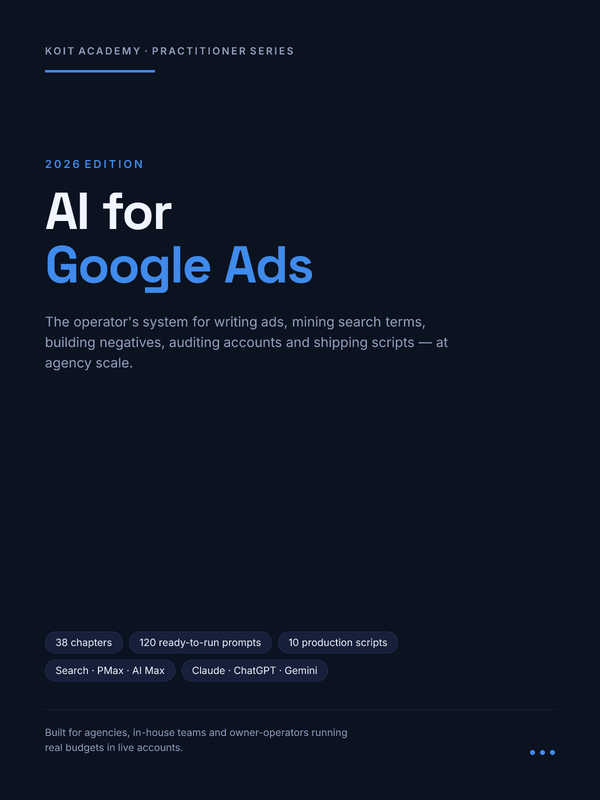
This tool is one page of a 220-page book
38 chapters on AI-assisted Google Ads, with a 120-prompt library (G-001 to G-120) and 10 production scripts.
Other free tools
Invoice Generator
Build a clean invoice in 30 languages and print it to PDF
Open itPassword Generator
Generate strong passwords in your browser and see what they are actually worth
Open itQR Code Generator
Make a QR code for a link, wifi, contact card, email, phone or SMS
Open itCV Maker
Build an ATS-friendly resume and download the PDF, free and unwatermarked
Open it